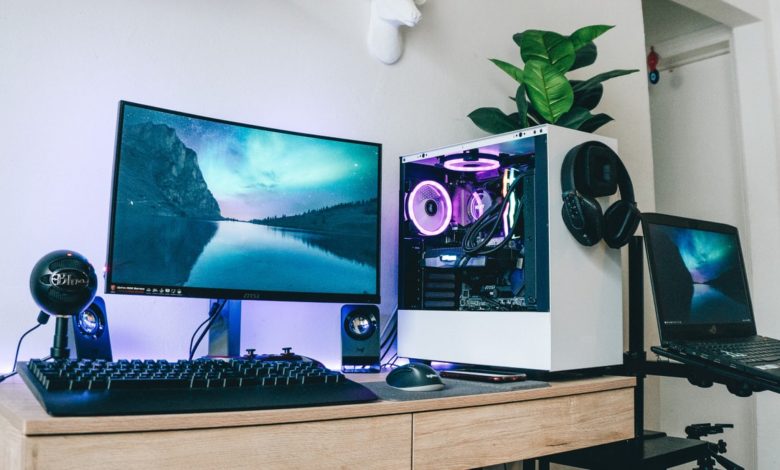
If you already own a UK gaming PC, you know the thrill of high-performance gaming. But as games become more demanding and new technologies emerge, even powerful systems can start to feel outdated. Upgrading your gaming rig is the key to maintaining smooth gameplay, higher frame rates, and enhanced graphics. In this guide, we’ll explore how to upgrade your UK gaming PC effectively, along with tips on maximizing performance without overspending. We’ll also cover how gaming bundle deals can make your upgrade more cost-effective.
1. Assess Your Current System
Before buying new components, it’s essential to evaluate your existing UK gaming PC. Understanding your system’s strengths and weaknesses helps you target upgrades that provide the most impact.
- CPU: Check if your CPU can handle modern games or if it’s bottlenecking performance. Tools like Task Manager or CPU-Z can show your CPU usage while gaming.
- GPU: Your GPU largely determines graphics quality and frame rates. Check your GPU’s performance in demanding games using benchmarking tools.
- RAM: 16GB is the current standard, while 32GB is ideal for future-proofing and multitasking.
- Storage: SSDs, especially NVMe drives, drastically improve load times compared to HDDs.
Once you identify the weak points in your UK gaming PC, you can prioritize upgrades that deliver the most noticeable improvements.
2. Upgrade Your Graphics Card
The GPU is the heart of any gaming rig. If you want next-level performance, upgrading to a modern GPU is one of the most effective ways to boost your system.
- High-end GPUs: Consider Nvidia’s RTX 40 series or AMD’s Radeon RX 7000 series for 4K gaming and ray tracing.
- Mid-range GPUs: For 1080p and 1440p gaming, cards like the Nvidia RTX 3060 or AMD RX 6600 XT offer great performance without overspending.
- Compatibility: Ensure your PSU can handle the new GPU’s power requirements and that it fits in your case.
Upgrading your GPU often has the largest impact on frame rates and graphical fidelity, especially if you enjoy AAA games or esports titles.
3. Boost Your CPU
A powerful GPU won’t perform optimally if your CPU is outdated. The CPU handles calculations, physics, and AI in games.
- Modern Processors: Intel Core i5/i7 or AMD Ryzen 5/7 are solid options for most gamers.
- Future-proofing: Look for CPUs with multiple cores and threads, as upcoming games are increasingly optimized for multi-core processors.
- Cooling: High-performance CPUs generate heat, so upgrading your cooling system may be necessary.
A balanced UK gaming PC ensures your CPU and GPU work together, avoiding bottlenecks and maximizing performance.
4. Upgrade Your RAM
RAM is crucial for multitasking, high-resolution textures, and demanding games.
- Capacity: Upgrade to at least 16GB for modern gaming or 32GB for future-proofing.
- Speed: Faster RAM improves loading times and responsiveness, particularly in open-world games.
- Dual-channel configuration: Running RAM in dual-channel mode can boost performance compared to a single stick.
Adding or upgrading RAM is a cost-effective way to improve your UK gaming PC’s responsiveness and overall experience.
5. Improve Storage with SSDs
Long load times and slow asset streaming can hinder gameplay. Upgrading to SSD storage, particularly NVMe drives, significantly reduces these issues.
- SSD benefits: Faster game load times, quicker system boot, and smoother streaming of textures.
- Storage management: Consider using a larger SSD for frequently played games and an HDD for archives.
- Future-proofing: Modern games can exceed 100GB; ensure your drive has enough capacity to handle growth.
This upgrade makes your UK gaming PC feel modern and responsive, especially for large open-world titles.
6. Optimize Cooling and Power Supply
Upgrading components often increases power consumption and heat output. Failing to upgrade your cooling or PSU can limit your UK gaming PC’s potential.
- Cooling options: Air cooling with high-quality fans or liquid cooling for high-end systems.
- PSU capacity: Ensure your power supply can handle all components plus a 20–30% buffer for stability.
- Cable management: Proper airflow improves cooling efficiency and overall system lifespan.
Maintaining stable temperatures ensures that your upgraded system performs reliably under stress.
7. Enhance Your Setup with Gaming Peripherals
A high-performance UK gaming PC is only part of the experience. Upgrading your gaming peripherals can significantly enhance gameplay and immersion.
- Monitors: High-refresh-rate and low response time monitors provide smoother visuals.
- Keyboard and Mouse: Mechanical keyboards and high-DPI mice improve reaction times in competitive games.
- Headsets: Quality audio can provide positional awareness and immersive soundscapes.
When upgrading your PC, consider pairing it with new peripherals for a complete performance boost. Gaming bundle deals often include monitors, keyboards, and mice, providing excellent value.
8. Take Advantage of Gaming Bundle Deals
Upgrading multiple components at once can be expensive. That’s where gaming bundle deals come in. Many UK retailers offer bundles that include GPUs, RAM, or gaming peripherals at discounted prices.
- Cost savings: Bundles often provide better value than buying each component separately.
- Convenience: Purchasing a bundle reduces compatibility worries, as the components are tested to work together.
- Exclusive offers: Some bundles include free games or subscription services, adding more value to your upgrade.
Exploring gaming bundle deals can help you upgrade your UK gaming PC efficiently without overspending.
9. Update Software and Drivers
Even after upgrading hardware, software optimization is essential. Outdated drivers or operating systems can limit your system’s performance.
- GPU drivers: Regularly update drivers for optimal performance and stability.
- Operating system: Ensure Windows or your preferred OS is updated to support the latest features.
- Game settings: Adjust graphics settings to balance visuals and frame rates based on your upgraded hardware.
Keeping your system updated ensures your upgraded UK gaming PC delivers consistent, top-tier performance.
10. Plan for Future Upgrades
Gaming technology evolves rapidly. While upgrading now is essential, thinking ahead prevents frequent costly replacements.
- Expandable cases: Ensure your case supports future GPUs or cooling systems.
- Modular power supplies: Make future upgrades easier and cleaner.
- Compatibility checks: When buying new components, ensure they support future hardware trends like DDR5 RAM or next-gen GPUs.
Future-proofing ensures your UK gaming PC stays relevant and high-performing for years to come.
Keep an eye for more latest news & updates on Visit Blog!